How to Make a Giant Check for a Presentation
Everything you need to build an oversized check that looks professional on stage, in photos, and on social media — without foam board math, clip art, or a design degree.
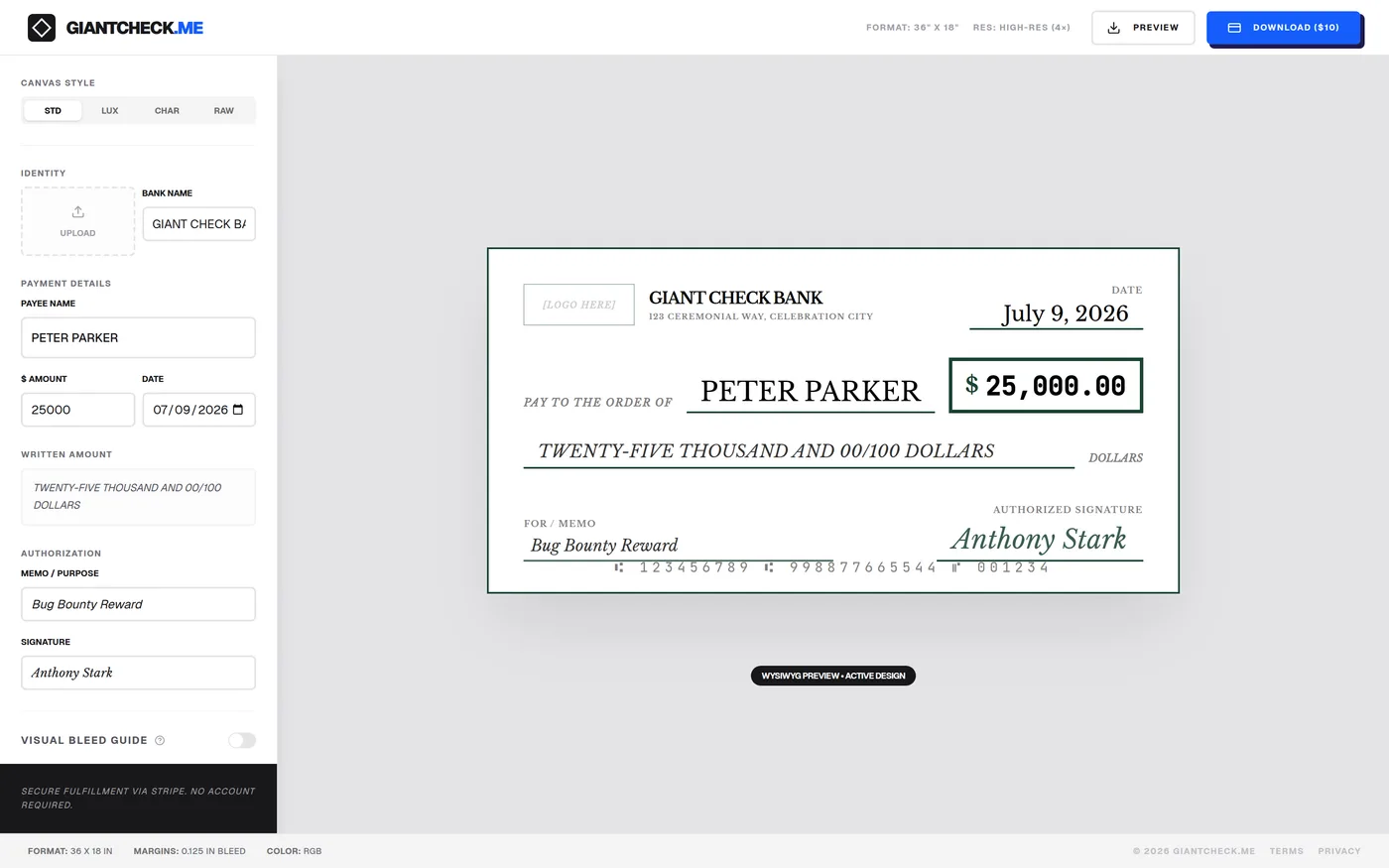
If you've ever watched a charity gala, a lottery win, a scholarship ceremony, or a company milestone get announced, you've seen one: an oversized novelty check, held up by two people, big enough to read from the cheap seats. Making one used to mean poster board, a ruler, a paint marker, and a prayer that your handwriting doesn't wobble. It doesn't have to anymore.
This guide walks through exactly how to make a giant check — the right dimensions, what to actually write on it, which layout style fits your event, and how to get it printed — using a free browser-based designer instead of a static template.
Step 1: Start with the correct dimensions
The de facto industry standard for a "big check" or "giant check" is 36 inches wide by 18 inches tall — a 2:1 landscape ratio. That's the size used by nonprofits, golf tournaments, and morning news segments because it:
- Reads clearly in photos taken from 10+ feet away
- Fits on a single sheet of 36" x 24" foam board with room to trim
- Is large enough for two people to hold comfortably at a podium
Some events go bigger — 48" x 24" or even 6-foot versions for stadium reveals — but 36" x 18" is the safe default unless you have a specific reason to scale up. See our full size and dimensions guide if you're printing at a non-standard scale.
Step 2: Choose a layout style that matches the event
A giant check for a children's hospital fundraiser shouldn't look identical to one for a corporate sponsorship reveal. Pick a visual tone first:
| Style | Best for | Look |
|---|---|---|
| Classic | Scholarships, retirements, general use | Traditional green-and-white bank check, serif type |
| Luxury | Corporate sponsorships, high-dollar gifts | Black background, gold foil-style accents |
| Charity | Nonprofits, churches, community fundraisers | Soft blue, friendly sans-serif |
| Brutalist | Raffles, contests, social-media reveals | High-contrast neon green on white grid |
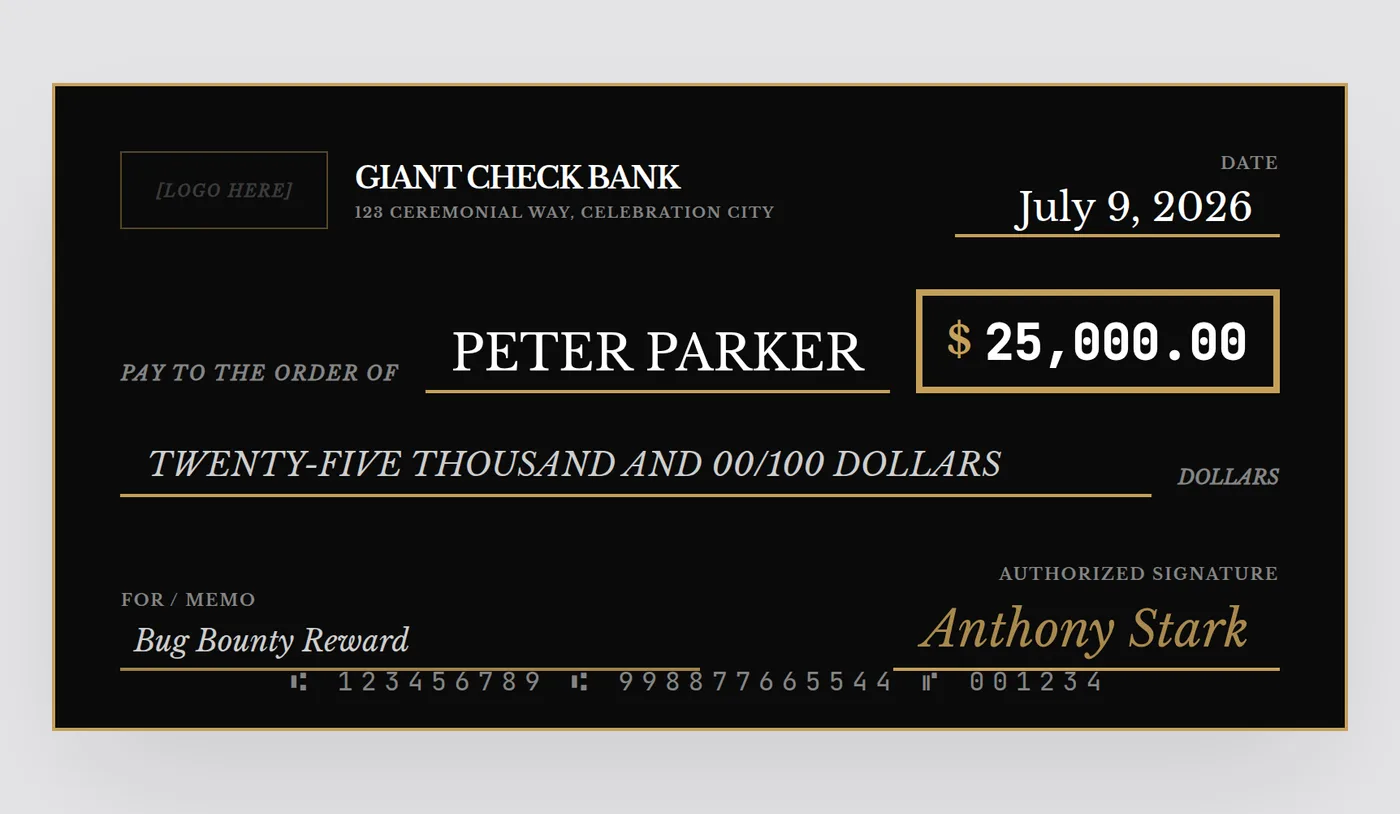
Step 3: Fill in the required fields
A believable giant check needs the same fields as a real one, just bigger:
- Bank / organization name — top left, can be a real org name or a fun fictitious "bank"
- Date — the ceremony date
- Pay to the order of — the recipient's full name or organization
- Dollar amount — numerals in the amount box, boldest element on the check
- Amount in words — spelled out, e.g. "Fifty Thousand and 00/100 Dollars"
- Memo — one short line: "Scholarship Award," "Charity Gala Donation," "Grand Prize"
- Signature — a script-style name; it doesn't need to be a real signature
Keep the payee name and amount as large and high-contrast as possible — those are the two things a photographer or a phone camera fifty feet away needs to be able to read.
Step 4: Export print-ready, high-resolution files
This is where most free templates fall apart. A check built in PowerPoint or a low-res Canva template looks fine on a laptop screen and pixelates the moment it's blown up to 36 inches. You need:
- At least 4x pixel density relative to a standard screen render, so edges and text stay crisp at full size
- A 0.125" bleed margin so a print shop can trim to the exact edge without a white sliver
- Both PNG and PDF — PDF for the print shop, PNG as a backup or for digital/social use
Step 5: Print and mount it
Take the exported PDF to any local print or sign shop — Staples, FedEx Office, Office Depot, or an independent sign shop — and ask for a 36" x 18" mount on foam board (indoor, lightweight) or coroplast (outdoor, durable). Most shops turn this around same-day for $15–$40. If you want to skip the print shop entirely, see how much a giant check actually costs across every option.
Skip the ruler and the clip art
GiantCheck.me is a free browser-based designer built specifically for this: pick a theme, fill in the fields, and watch the check update live. The free preview export is watermarked; a clean 4x-resolution PNG and print-ready PDF are a single $10 download — no account, no subscription, no software to install.
Common mistakes to avoid
- Going too small. Anything under 24" wide reads poorly in event photos.
- Low-contrast amount text. Dark text on a busy background disappears in photos — bold and simple wins.
- Forgetting the written-out amount. It's a hallmark of a "real" check and audiences notice when it's missing.
- Exporting at screen resolution. A 1x screenshot looks blurry and pixelated once printed at 36 inches.
- No bleed margin. Without it, print shops either add an awkward white border or cut into your design.
Design your giant check in the browser
Four themes, live preview, high-res PDF/PNG export — ready in under five minutes.
Open the Free Designer →$10 for the clean, print-ready download · no signup required
Frequently asked questions
What software do I need to make a giant check?
None. A browser-based designer like GiantCheck.me lets you build one in a WYSIWYG editor and export a print-ready PNG or PDF without installing Photoshop, Canva templates, or PowerPoint add-ons.
What size should a giant check be?
36 x 18 inches is the standard size used at fundraisers, sports events, and corporate presentations because it's large enough to read from the back of a room but still fits on a single sheet of foam board or coroplast.
Can I make a giant check without downloading any software?
Yes. Browser-based tools render the check as an HTML canvas and export the image client-side, so there's nothing to install and no template file to hunt down.
Do I need to print it myself?
No. Export a high-resolution PDF and take it (or email it) to any local print or sign shop — Staples, FedEx Office, or a local sign shop can mount it on foam board or corrugated plastic same-day in most cities.