Printable Big Check for GoFundMe and Crowdfunding Campaigns
A crowdfunding total raised by hundreds of small donations deserves a real handoff moment — here's how to turn that number into a giant check photo.
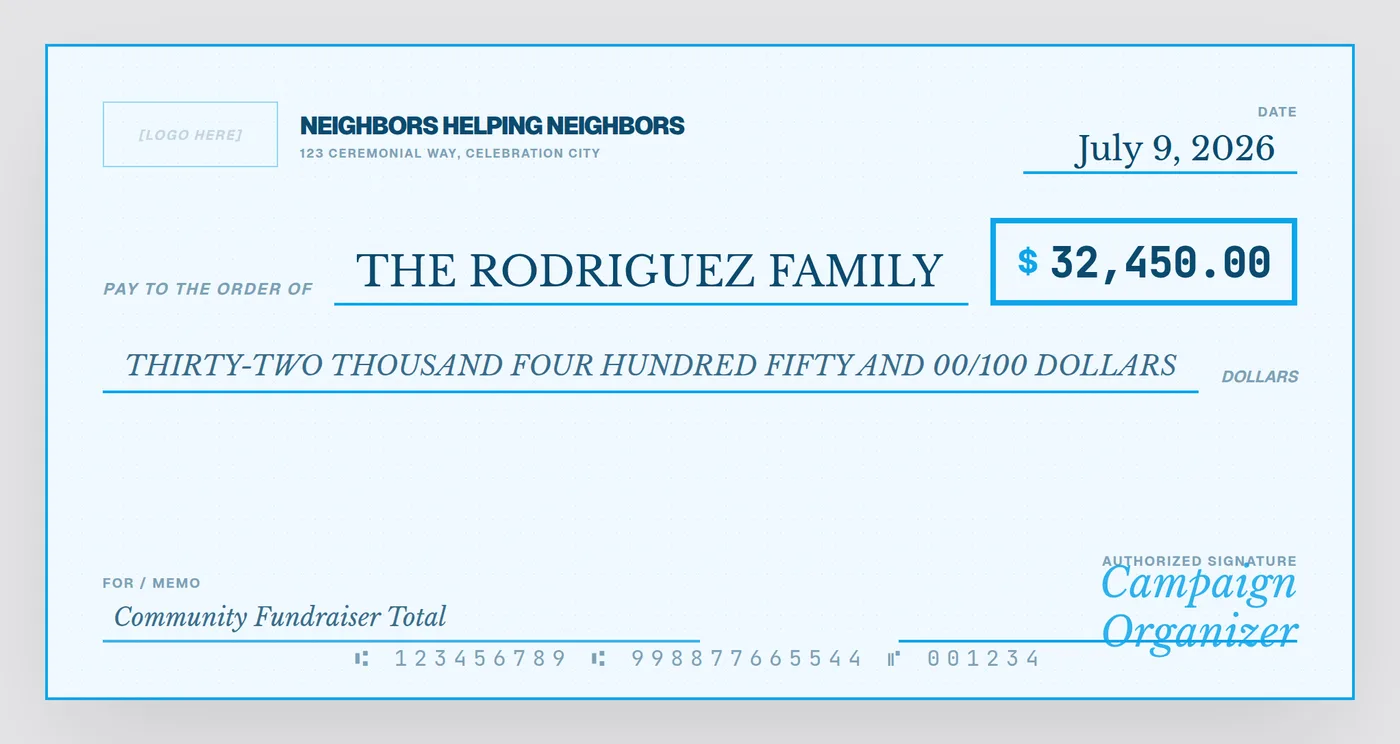
GoFundMe and other crowdfunding totals are usually made up of dozens or hundreds of individual donations — five dollars here, fifty there — that add up to something meaningful. When it's time to actually deliver the funds to the family, patient, or cause, a giant check turns an abstract dollar figure on a progress bar into a real, photographable moment.
What to put on the check
- Payee — the individual or family the campaign supported, by name
- Amount — the final total raised once the campaign has closed
- Bank / issuer field — a collective name like "Community Fundraiser" or the campaign's own title, rather than trying to list every donor
- Memo — a short description of the cause: "Medical Expense Fund," "House Fire Recovery," "Community Fundraiser Total"
- Signature — typically the campaign organizer
Timing the reveal
Most organizers wait until the campaign officially closes before presenting the check, so the number reflects the true final total rather than a mid-campaign snapshot that might look outdated or, worse, understate what was actually raised. If the campaign is ongoing but you want an earlier update photo, label it clearly as a running total rather than a final amount.
Crediting donors without a wall of names
With crowdfunding, there's rarely a single "donor" to name the way a corporate sponsor check would. The cleanest approach is to keep the check itself simple — total amount, recipient, and a general description — and handle individual donor thanks separately through a campaign update post or a printed thank-you list at the handoff event.
Digital-first is the norm here
Because most crowdfunding handoffs are documented for a GoFundMe update post or a local news segment rather than a stage ceremony, a clean high-resolution PNG is often all you need — printing is optional, not required.
Turn your campaign total into a check
Fill in the final total and recipient — export a shareable PNG or a print-ready file for the handoff photo.
Open the Free Designer →$10 for the clean, print-ready download · no signup required
Frequently asked questions
Who should the check be "from" if hundreds of people donated?
Use a collective name in the bank field rather than trying to list every donor — something like "Community Fundraiser" or the campaign's own title works well, since the amount and recipient are the focal points, not an exhaustive donor list.
When should we present the check — while the campaign is live or after it closes?
Most organizers wait until the campaign closes so the final total is locked in, then present the check once, using the exact final amount raised rather than an early or partial figure.
Do we need to print a physical check for a GoFundMe handoff?
No — a high-resolution PNG works well for a photo you'll only ever share digitally (on the GoFundMe update, Facebook, or a news segment), and costs nothing extra to produce beyond the design itself.