 GIANTCHECK
Best Giant Check Themes for Content Creators & Streamers
A donation-total reveal, a subscriber-milestone payout, and a gaming tournament win all want a different look on camera. Here's how to pick.
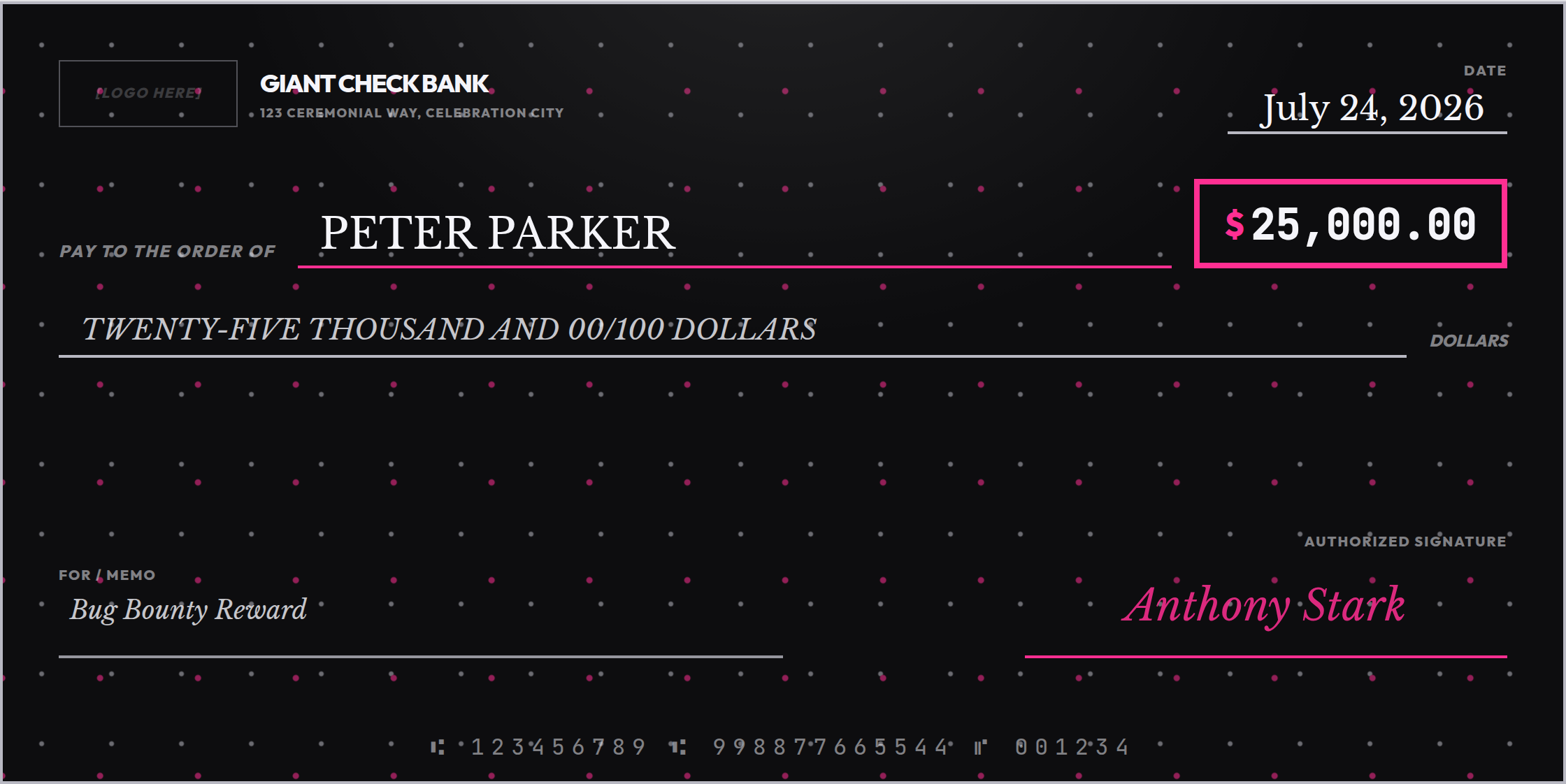
Giant checks are a staple of creator content — subscriber-milestone payouts, sponsorship reveals, charity-stream totals, tournament winnings. Our earlier guide covers export settings and framing for these videos; this one is about which of the 28 themes actually reads well on camera, because a design that looks great as a static photo can wash out completely once it's compressed into a 1080p thumbnail.
Four themes built for the format
Spotlight — general reveals and milestones
Near-black background, a soft stage-light beam from above, and a scatter of chrome and hot-magenta flecks. This is the closest theme to an actual awards-show or red-carpet moment, and it's the safest default for a subscriber-count reveal, a sponsorship announcement, or any "big number" moment that isn't specifically about gaming.
Respawn — gaming and esports
Dark background with cyan and magenta CRT-style scanlines. If the channel is gaming-focused, Respawn reads as native to that content in a way a generic gold-and-black theme doesn't — it looks like it belongs next to a HUD overlay, not a bank lobby.
Arcade — retro and nostalgia gaming content
A neon synthwave grid on deep purple. Where Respawn is modern-competitive, Arcade is throwback — a better fit for retro-gaming channels, 80s-themed streams, or a tournament explicitly leaning into a nostalgia bit.
Northbeam — tech, startup, and general creator content
White background with a blue-to-violet gradient on the amount box only. This is the polished option for anyone whose channel is more "tech reviewer" or "creator business" than gaming — a funding-round reaction video, an affiliate-earnings reveal, a referral-bonus announcement.
What actually matters on camera
- Contrast survives compression better than detail. A single bright accent on a dark ground (Spotlight, Respawn, Arcade) holds up at thumbnail size; busy multi-color patterns tend to blur into noise once YouTube or TikTok compresses the frame.
- Match the room, not just the number. A $50,000 sponsorship check and a $50,000 lottery win are the same dollar amount but very different rooms — creator content almost always wants Spotlight, Respawn, Arcade, or Northbeam over the more institutional themes, even when the number is identical.
- Keep the memo short. On a phone screen, a long memo line wraps or truncates before it ever gets read — "10K Subs!" beats "Thank you to all 10,000 of our amazing subscribers."
Colors can match your brand exactly
If your channel has its own brand colors, start from whichever of the four themes above fits the content type, then use the Customize Colors panel to push the accent color toward your actual brand hex — the layout and every other field stay identical.
Design your reveal now
Pick a theme, drop in the number, and export a clean file in minutes — no waiting on a designer before the stream starts.
Open the Free Designer →$10 for the clean, print-ready download · no signup required
Frequently asked questions
Which theme reads best on a video thumbnail?
Spotlight and Respawn both hold up at thumbnail size because they're dark backgrounds with a single bright accent color, which stays legible even compressed to a small YouTube or TikTok thumbnail. Light, low-contrast themes tend to wash out at that size.
Can I match a giant check theme to my channel's brand colors?
Yes. Every theme's background, accent, text, signature, and border colors can be overridden individually from the Customize Colors panel, so you can start from the closest theme and push the accent toward your channel's brand color.
What size should I export for a video reveal?
Any of the four print sizes work on camera since they're all the same 2:1 landscape ratio — pick 18" x 9" or 24" x 12" if you're printing at home, since those need less physical space than the 36" or 48" formats while framing identically on screen.