Giant Check for Raffle & Prize Winners: Design Tips That Wow a Crowd
A raffle or 50/50 drawing lives or dies on the reveal moment — here's how to make the winner's check feel like a real jackpot instead of an afterthought.
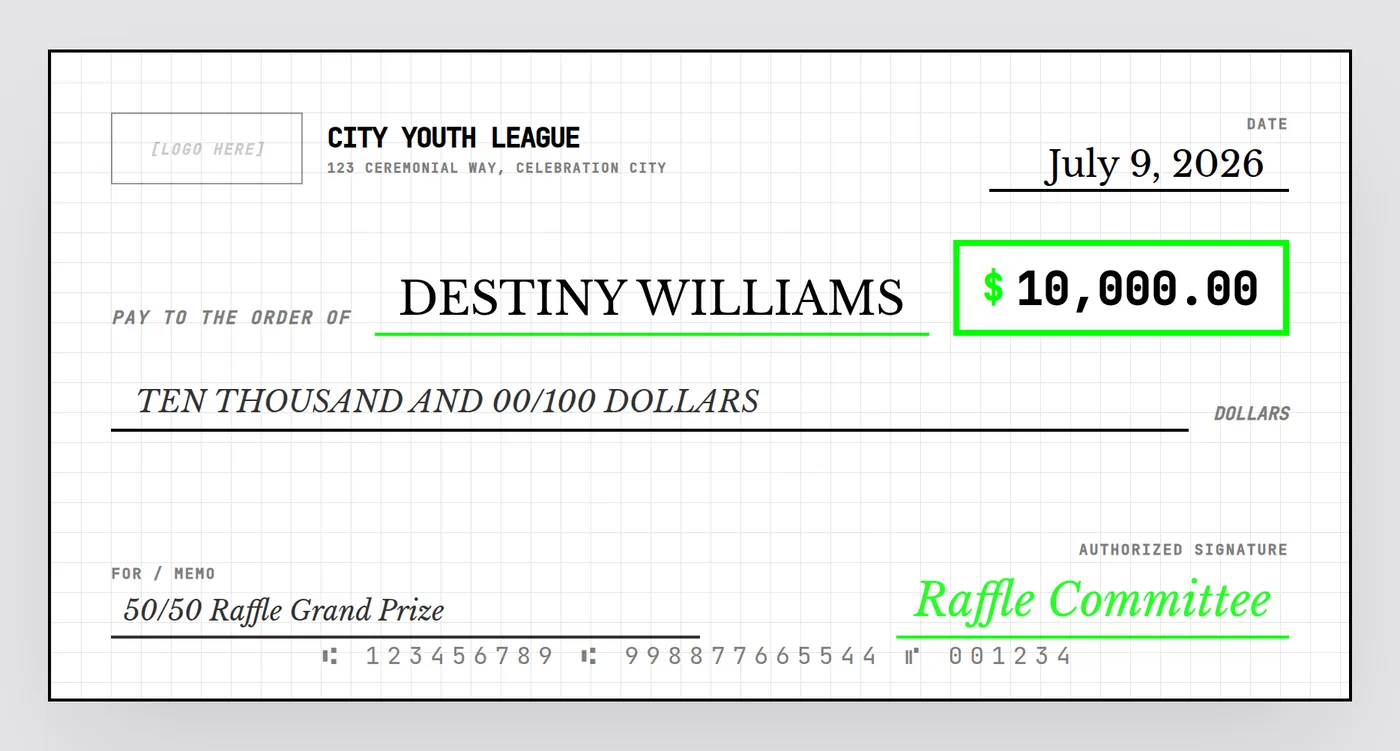
Raffles, 50/50 drawings, and contest giveaways are built around a single moment: the name gets pulled, and everyone in the room wants to see the number. A giant check is what turns "we'll mail you a check" into a photo people actually share.
Why the reveal moment matters
Unlike a scholarship or charity donation, where the amount is usually known well in advance, raffle and contest totals are often finalized minutes before the reveal — the pot keeps growing until the last ticket sells. That means your check design needs to be ready to fill in fast.
Preparing for a live drawing
- Design everything except the winner's name and amount ahead of time — organization name, theme, memo ("50/50 Raffle Grand Prize," "Holiday Contest Winner"), and signature line.
- Keep a laptop or tablet at the drawing table so the moment the winning ticket is called, you can type in the name and amount live.
- Export immediately — a PNG works for an instant social media post; queue the PDF for printing afterward if you also want a physical copy for photos at the event.
Picking a theme that feels like a jackpot
Contest and raffle reveals benefit from more energy than a formal donation check. A high-contrast, bold layout — bright accent color against a clean white or black background — photographs as more exciting under phone flash and reads well even in a quick, low-quality photo taken mid-celebration.
Digital-only is completely fine
Not every raffle needs a physical printed check. If the "prize" is really being paid via bank transfer or a mailed real check, the giant check can exist purely as a shareable PNG for the announcement post — no printing required.
Wording examples
| Contest type | Memo line example |
|---|---|
| 50/50 raffle | "50/50 Raffle Grand Prize" |
| Holiday giveaway | "Holiday Giveaway Winner" |
| Sports pool | "Bracket Challenge Champion" |
| Sweepstakes | "Grand Prize Sweepstakes Winner" |
Ready before the ticket gets pulled
Set up everything but the name and amount ahead of time — fill it in live and export in seconds when the winner is announced.
Open the Free Designer →$10 for the clean, print-ready download · no signup required
Frequently asked questions
Do I need to know the raffle winner's name in advance?
No — for live drawings, prepare the check design with everything except the payee name and amount locked in, then fill in the winner's name on a laptop or tablet immediately after the drawing and export a printable or shareable file within minutes.
What's the best theme for a raffle or 50/50 prize check?
A bold, high-contrast style — like a bright green-on-white "brutalist" layout — tends to photograph as more exciting and "jackpot"-like than a traditional bank-check look, which fits the celebratory tone of a prize drawing.
Can I use the check as a digital-only reveal instead of printing it?
Yes — many raffle organizers export a PNG and post it directly to Facebook or Instagram as the official winner announcement instead of, or in addition to, a physical printed check.