Giant Check Templates on Etsy: What to Know Before You Buy
Etsy's marketplace has hundreds of printable giant check listings — editable PDFs, Canva templates, PowerPoint files. Here's what actually separates a good one from a disappointing print.
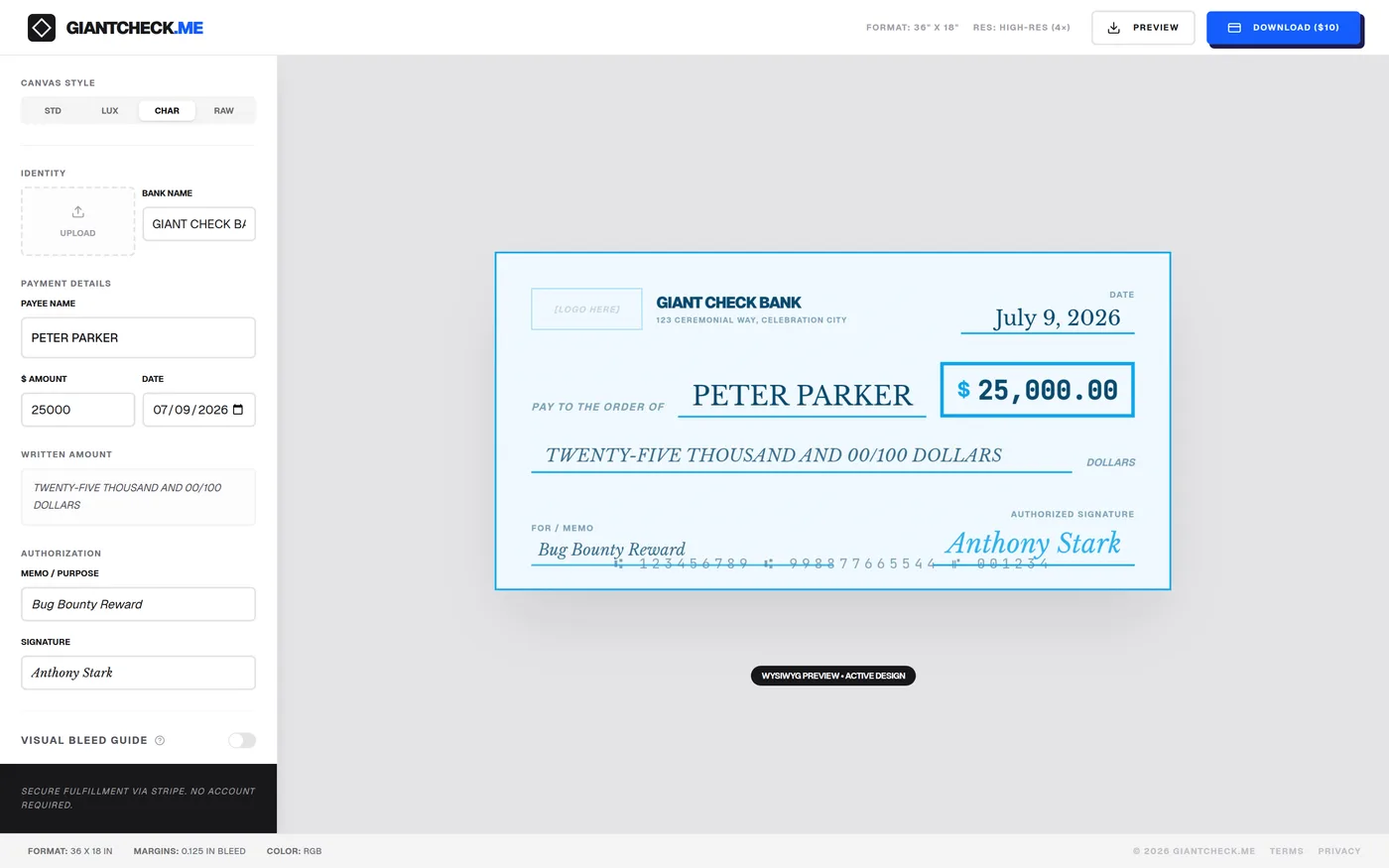
Etsy's digital download shops have built a real niche around printable giant check templates, and for good reason — a $5-15 template is genuinely appealing next to hiring a designer. But "editable template" covers a wide range of actual product quality, and it's worth knowing what to look for before you buy, or before you decide a live online tool is the better fit for your event.
What Etsy giant check templates typically offer
- Editable PDF forms — fillable text fields you complete in a free PDF reader, no design software needed
- Canva template links — a shared Canva design you customize by replacing text and colors
- PowerPoint / Word files — a slide or document formatted roughly to check proportions
- Static JPEG/PNG mockups — an image you'd need separate software to edit at all
What to check before buying one
| Check this | Why it matters |
|---|---|
| Stated file dimensions (pixels or DPI) | Anything under ~5400 x 2700px will look soft printed at 36" wide |
| Format required to edit | Determines whether you need Canva Pro, Adobe software, or nothing at all |
| Reviews with photos of the final print | The only reliable evidence of real-world print quality |
| Whether bleed margins are included | Missing bleed means a print shop may clip your design or add a white edge |
| License terms for commercial/press use | Some templates restrict use for company or paid-event purposes |
Where a live online designer differs
The core difference isn't really price — it's the moment you see the finished result. A downloaded template is a leap of faith: you pay, then open the file, then find out if your text fits the layout and whether the resolution holds up. A browser-based designer shows the exact finished check, live, as you type — payee name, amount, logo and all — before you spend anything, and the export is generated at a fixed high resolution every time rather than depending on how the original file was built.
It also sidesteps two common friction points with marketplace templates: needing a specific paid app (Canva Pro, Adobe) to actually edit the file, and discovering after purchase that the license doesn't cover your use case (some templates restrict commercial or press use).
Both are legitimate options
A well-made Etsy template from a shop with strong reviews and stated print-resolution dimensions can absolutely produce a great result. The tradeoff is simply upfront certainty: a live tool lets you confirm the exact finished look before paying anything, which matters most when you only get one shot at printing before an event.
See your check before you pay for it
Build the whole design for free — logo, colors, wording, layout — and only pay $10 when you're ready to export the clean, high-resolution file.
Open the Free Designer →No signup, no subscription, no separate app required
Frequently asked questions
Are Etsy giant check templates good quality?
Quality varies widely by seller — some offer genuinely high-resolution, well-designed files, while others are lower-resolution images that pixelate at full print size. Always check the listing's stated file dimensions or DPI before buying, and look at reviews with photos of the printed result.
Do I need Canva Pro or Adobe software to edit an Etsy template?
It depends on the format the seller provides. Canva-based templates typically need a free or Pro Canva account to edit; PDF templates with fillable form fields can usually be edited in any PDF reader; Word or PowerPoint templates need the corresponding Microsoft or Google app.
What's the advantage of a live online designer over a purchased template?
A live designer renders your exact text and images in place immediately, so you see the finished result before paying, and the export is generated at a guaranteed print resolution — removing the guesswork of whether a downloaded file will hold up at 36 inches wide.